Virtual keyboard for GNU/Linux Wayland desktops

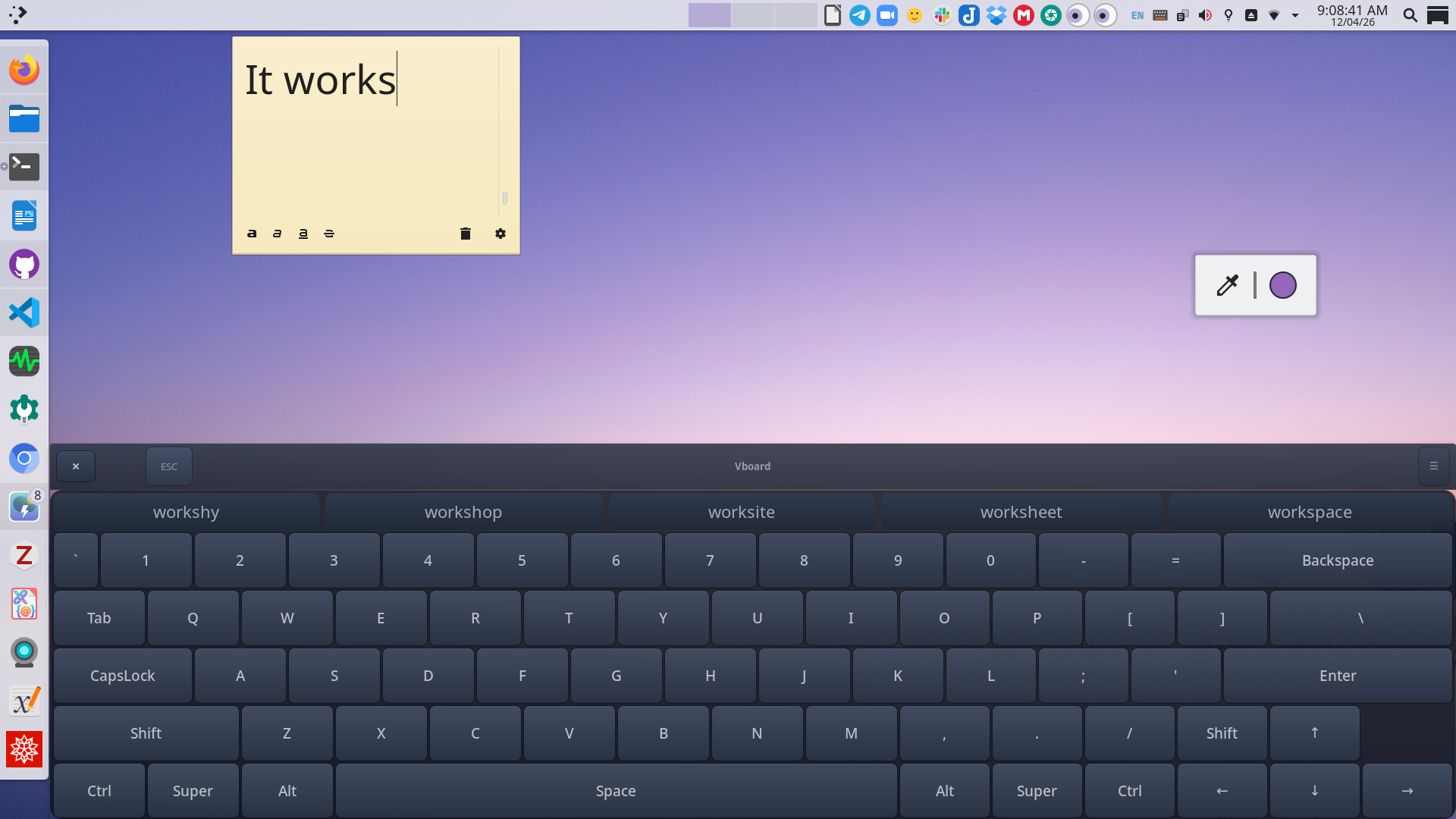
vboard on KDE Plasma

A practical on-screen keyboard for GNU/Linux Wayland desktops, with essentials like Ctrl, Alt, Tab, Super, and arrow keys.

  • KDE-native, GNOME-ready
  • Ctrl, Alt, Tab, Super
  • System tray
  • Word suggestions
  • Gesture typing

We are trying to solve a problem

A virtual keyboard with all the keys you need. On Wayland.

The gap

Even moderately basic desktop use needs keys like Ctrl, Alt, Tab, Super, and the arrow keys, especially for terminals, shortcuts, and window navigation. The on-screen-keyboards shipped by KDE Plasma and GNOME do not include that full set.

Onboard supports this style of fuller keyboard layout, but it does not work on Wayland.

The answer

Vboard provides a lightweight, always-accessible keyboard with persistent appearance settings, optional word suggestions, tray support, and a uinput-based input backend built for modern GNU/Linux desktops. It has native Wayland support on KDE Plasma and works on GNOME using Xwayland where needed.

Ideal for

Touchscreen devices, kiosks, accessibility workflows, and systems whose physical keyboards are missing, damaged, or simply inconvenient.
Install

Fast paths for Ubuntu, Arch, and everything else.

Ubuntu

Package, PPA, or source

On Debian based systems, you can install the .deb installer from GitHub releases. In Ubuntu or Mint, you can also install from the vboard PPA.

Install from GitHub release

Download the latest .deb from GitHub Releases, then install it with:

sudo apt install ./vboard_*.deb

Do not use dpkg to install. Keyboard will not function in that case.

Reboot after installation for the uinput permissions to apply cleanly.

Install from the vboard PPA

sudo add-apt-repository ppa:apandada1/vboard
sudo apt update
sudo apt install vboard

Reboot after installation for the uinput permissions to apply cleanly.

Build the latest source version

git clone https://github.com/archisman-panigrahi/vboard.git
cd vboard
sudo bash setup-ubuntu-debian.sh

Reboot after installation for the uinput permissions to apply cleanly.

Arch

Install with Pacman

Official AUR package is coming soon, but till then, you can install it manually.

Install with an AUR helper

yay -S vboard

Reboot after installation so the desktop session picks up the new device permissions cleanly.

More Distros

Fedora and everything else

For Fedora and other distributions, the canonical instructions live in the project README. That page also covers uinput setup, Meson install modes, KDE Plasma configuration, and troubleshooting.

Read the full installation guide

History

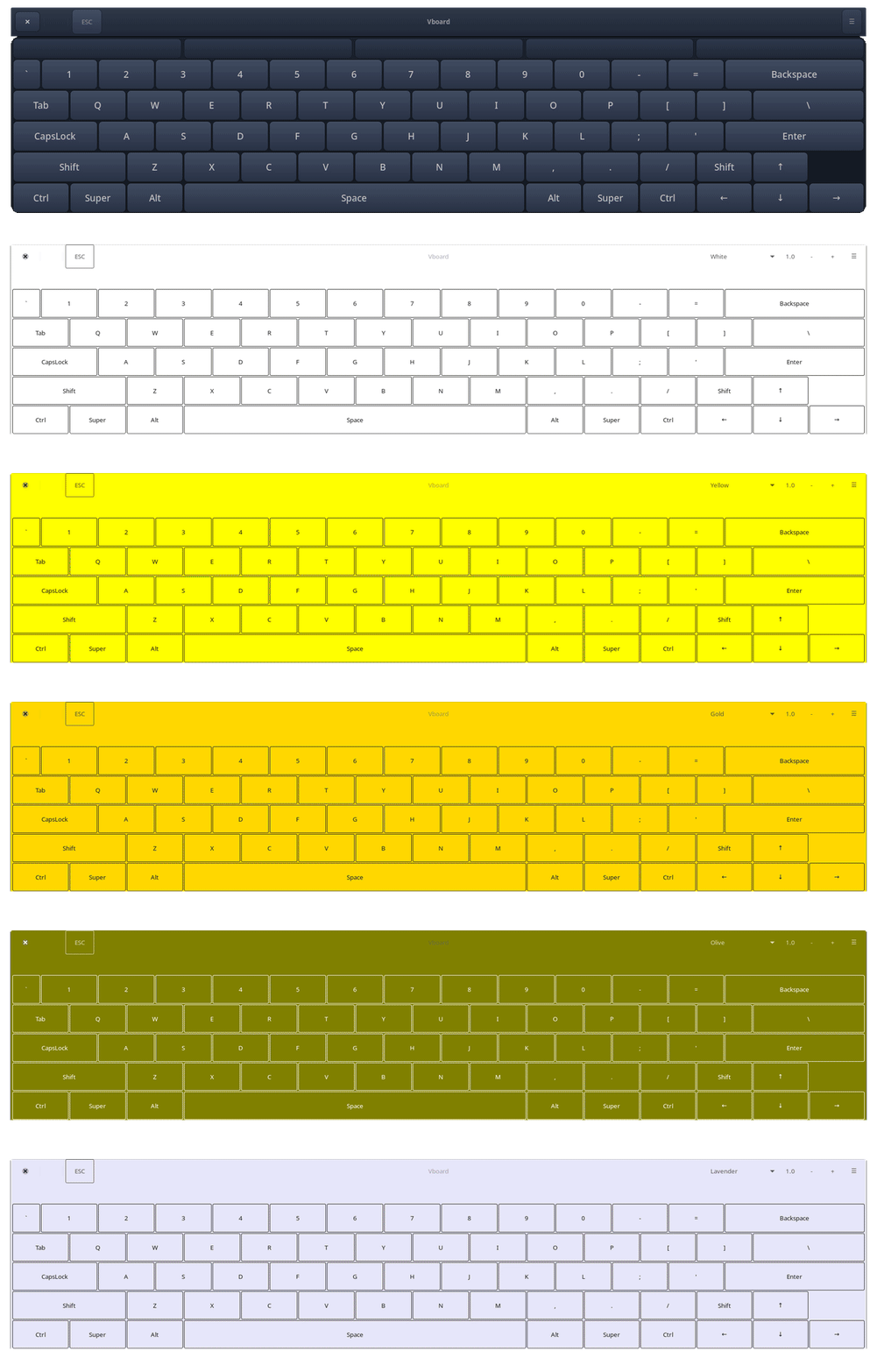
Vboard was initially developed by mdev588. After that project was abandoned, development and maintenance were continued by other developers in the current vboard repository.

Animated history montage of vboard screenshots

To report issues or suggest new features, visit the current GitHub repository.

Open the GitHub repository